
Restaurant Staff Scheduling: 7 Tips and Best Practices (2026 Guide)


Quick Answer: Effective restaurant staff scheduling starts with POS data, not gut feeling. Build your schedule around historical sales patterns by hour and day — never by habit or convenience. The seven best practices that have the greatest impact on labour costs and service quality are: using sales-per-labour-hour as your primary scheduling metric; staggering shift start times to match demand curves; posting schedules at least seven days in advance; cross-training at least 30% of your team to cover multiple roles; monitoring overtime before it happens; having a written shift swap policy; and running a short debrief after every difficult service to improve the next schedule.
Most restaurant owners experience scheduling as a weekly administrative chore — something to get done so the floor is covered. That framing is expensive.
Scheduling is one of the two largest controllable cost levers in any restaurant (the other is food cost). Labour typically accounts for 28–35% of total revenue. The difference between a schedule built on data and one built on habit is often 3–5 percentage points of labour cost — which in a restaurant doing CHF 60,000 per month in revenue represents CHF 1,800–CHF 3,000 recovered or wasted every single month.
This guide covers the seven scheduling best practices that separate restaurants that control their labour from restaurants that are controlled by it.
Why Restaurant Scheduling Is a Profitability Problem, Not Just a Logistics Problem
The most common framing of scheduling is: “Do we have enough people to cover the shift?” That is a floor-level question. The right question is: “Do we have the right number of people for the revenue we are projecting — and are they arriving and leaving at the right time?”
These are different questions. The first one prevents chaos. The second one builds margin.
The metric that matters: Sales Per Labour Hour (SPLH)
Sales Per Labour Hour is calculated as:
SPLH = Total Revenue ÷ Total Labour Hours Worked
Industry benchmarks vary by service type, but a useful starting reference for full-service restaurants is:
- Below CHF 30 SPLH — Likely overstaffed. Labour cost is disproportionate to revenue generated.
- CHF 30–70 SPLH — Healthy range for most full-service restaurants.
- Above CHF 80 SPLH — Likely understaffed. Service quality will suffer, and staff will burn out.
Track this number weekly by shift and by day. Over six to eight weeks, patterns emerge clearly. These patterns — not instinct — should drive every scheduling decision you make.
The Two Scheduling Mistakes That Cost the Most
Before the seven tips, it is worth naming the two scheduling errors that cause the most financial damage:
Mistake 1: Scheduling by habit, not data Putting the same people on the same shifts every week because “that’s how it’s always been done” ignores the fact that demand changes — by season, by week, by local event. A schedule that was right in February is almost certainly wrong in July.
Mistake 2: Publishing the schedule at the last minute When schedules go out 24–48 hours before the shift, staff cannot plan their lives, reliability drops, no-shows increase, and managers spend their time making emergency calls instead of running their restaurant. The downstream cost of last-minute scheduling is almost always greater than the cost of spending an extra hour building the schedule earlier in the week.
Tip 1: Build the Schedule from POS Data, Not Memory
Your POS system records exactly how many covers you served, at what time, and on what day — for every service going back months. This is your most valuable scheduling input, and most restaurants do not use it.
How to use your POS data for scheduling:
- Pull the hourly cover count for each day of the week, averaged across the last 4–6 weeks
- Identify the exact hours where demand rises above 60% capacity and falls below it
- Staff up to the demand curve — not to a round number of people
A practical example: If your POS data shows that Thursday covers start rising sharply at 18:30, plateau between 19:00 and 20:30, then decline from 21:00, you do not need the same number of servers from 18:00 to 23:00. You need 60% of your floor team at 18:00, 100% at 18:30, and a staggered exit beginning at 21:00.
Running this exercise for each day of the week takes two to three hours the first time. After that, it takes 20 minutes of weekly review, because the patterns are already established.
Tip 2: Stagger Shift Start Times
One of the most impactful — and least used — scheduling adjustments is staggering when staff arrive, rather than having everyone clock in at the same time.
The logic is simple: demand does not arrive all at once, so your labour should not arrive all at once either.
Staggered shift structure for a dinner service:
| Time | Staff On |
|---|---|
| 17:00 | Kitchen: 2 (prep completion), FOH: 1 (setup) |
| 17:30 | Kitchen: full team, FOH: 2 additional |
| 18:00 | FOH: remaining floor staff |
| 21:30 | First FOH stagger out as covers decline |
| 22:00 | Second FOH stagger out |
By staggering, you pay for labour when the revenue is there to support it. Paying five servers to fold napkins for 90 minutes before the first table sits is a direct labour cost that does not generate any corresponding revenue.
The same principle applies to kitchen staff: not every station needs to be fully staffed at 16:00 if most of the mise en place was completed by 17:30 the previous day.
Tip 3: Post the Schedule at Least 7 Days in Advance
Seven days is the minimum. Ten to fourteen days is better, particularly for your full-time and key part-time staff.
When staff know their schedule with enough lead time to manage their personal lives, three things happen:
- Reliability increases — people who can plan their week show up
- No-shows decrease — emergencies are easier to flag and solve with more lead time
- Morale improves — scheduling unpredictability is one of the top reasons hospitality staff cite for leaving a job
Practical implementation:
- Set a fixed weekly schedule day: every Thursday, next week’s schedule is published. No exceptions.
- Use a shared digital system — not a photo of a whiteboard texted to a group chat — so staff can access their schedule from their phone at any time
- Include the schedule review window: “This schedule is final unless changes are submitted by Friday evening”
Consistency of process matters as much as the schedule content. When staff know that schedules always go out on Thursday and that Thursday is the window for raising conflicts, the process becomes frictionless on both sides.
Tip 4: Cross-Train to Build Scheduling Flexibility
Cross-training — equipping kitchen or floor staff to perform more than one role — is the most resilient structural change you can make to your scheduling system.
A kitchen where every cook can only perform one station is a kitchen that is one sick call away from a service failure. A floor team where every server can run food, manage the bar, or handle the host stand gives you flexibility that no amount of emergency calling can replicate.
How to approach cross-training:
- Identify the two most critical role pairs in your operation — typically: server + food runner, or grill cook + sauté cook
- Build cross-training shifts into the schedule every two weeks: a server takes a full shift on the host stand, a line cook spends a service on a secondary station
- Track cross-training certifications per employee (the same sign-off protocol as recipe management)
- Aim for at least 30% of your team to be certified in at least two roles
What this does to your schedule: When you have a 20-person team and 6 of them can cover two roles, you have structural redundancy. A Friday night call-out at 17:00 is a problem you solve in 10 minutes by shifting a cross-trained team member — not a crisis that requires the manager to work the floor.
Tip 5: Control Overtime Before It Happens
Overtime is one of the most avoidable restaurant labour costs — and one of the most consistently unmanaged.
In most operations, overtime accumulates not from deliberate decisions but from a series of small ones: a service that ran longer than expected, an extra shift offered to cover a sick colleague, a scheduling gap that a manager filled by extending an existing shift rather than calling someone in.
The system to prevent it:
- Know every employee’s contracted hours at the start of the week before you build the schedule
- Flag anyone who has already worked more than 75% of their weekly contracted hours before Thursday — these people should not be the first call for Friday cover
- Set a policy: shifts above contracted hours require manager approval 24 hours in advance, not during service
- Review the previous week’s overtime figure every Monday as part of your opening routine — not at month-end when it is already spent
The financial reality: If overtime is consistently appearing in your labour cost, it is rarely the result of one bad decision. It is the result of a scheduling process that does not actively monitor hours in advance. The fix is a process change, not tighter control during service.
Tip 6: Create a Clear Written Shift Swap Policy
Without a written shift swap policy, every swap is a negotiation — between employees, between employees and managers, and between managers on different shifts who may not have the same information.
The result is scheduling chaos that the original schedule was never designed to create.
A clear shift swap policy covers:
- Who can swap with whom — swaps must be between people with the same certified roles. A server cannot swap with a barback unless they are cross-trained
- How much notice is required — all swaps must be submitted at least 48 hours before the shift, except in genuine emergencies
- Who approves it — the manager reviews and approves every swap before it is confirmed. The swap is not in effect until management confirmation is sent
- Who is responsible if the cover does not show — the employee who originally gave away the shift remains responsible for ensuring coverage is in place
Put this policy in writing. Include it in onboarding. When a swap request is made informally (“I texted someone to cover me”), refer to the policy. Consistency here prevents resentment and protects service quality.
Tip 7: Debrief After Every Difficult Service
Scheduling improvement is not a one-time exercise. It is an iterative process that gets better every week — but only if you capture what the previous week’s schedule got wrong.
After every service that involved a staffing problem — an unexpected rush, an understaffed station, a no-show that caused gaps — ask these questions within 24 hours:
- What did the schedule predict about this service’s demand, and what actually happened?
- Which stations or roles were understaffed, and for how long?
- Could we have anticipated this with better data or earlier planning?
- What would the schedule look like if we built it again knowing what we know now?
Log the answers. Not mentally — physically or digitally. The following week’s schedule should be built with the previous week’s debrief visible. Over three months, this practice produces a scheduling manager who no longer needs to be told what went wrong because the system already tells them.
How SparissimoFood Helps With Restaurant Labour Management
While SparissimoFood’s core strength is in low-commission direct ordering (5–8% per order versus the 25–30% charged by Just Eat and Uber Eats) and dine-in QR management, the platform provides restaurant operators with data that directly informs smarter scheduling.
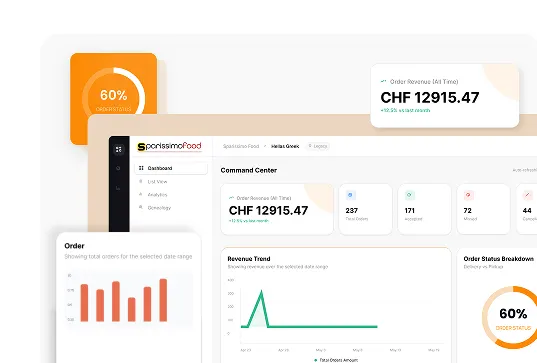
Real-time order volume tracking: SparissimoFood’s manager dashboard shows incoming order volume by time of day, allowing you to cross-reference online order peaks with your in-house cover data. When Friday online orders consistently spike between 19:00 and 20:30, that window needs kitchen capacity — not a staggered-out cook.
Peak hour demand patterns: By reviewing your SparissimoFood order history weekly, you build an accurate picture of when your combined dine-in and delivery demand is highest. This dual-channel demand view is critical for scheduling in restaurants that operate both services simultaneously — a single-channel view will consistently underestimate kitchen requirements during peak periods.
Throttling integration with staffing: When your kitchen throttling settings in SparissimoFood automatically extend delivery times during known peak windows, this removes the pressure on your kitchen team to handle simultaneous dine-in and delivery rushes — allowing you to schedule for your actual dine-in capacity without factoring in an unpredictable online order surge.
Frequently Asked Questions
What is a good labour cost percentage for a restaurant?
For most full-service restaurants, a labour cost percentage between 28% and 35% of total revenue is considered healthy. Quick-service restaurants typically operate between 25% and 30%. Fine dining restaurants may run slightly higher due to the higher service-to-guest ratio required. The key is not achieving a specific number but understanding your own baseline and actively managing movement above it.
How far in advance should a restaurant schedule be posted?
At minimum, seven days in advance. Ten to fourteen days is the best practice for full-time and key part-time staff. Posting schedules with more lead time reduces no-shows, improves staff reliability, and is one of the most cited factors in hospitality employee retention. In Switzerland and across Europe, predictable scheduling is increasingly expected as a baseline condition of employment.
What is Sales Per Labour Hour (SPLH) and how do I use it?
Sales Per Labour Hour is total revenue divided by total labour hours worked in a given period. It tells you how much revenue each hour of labour is generating. Track it by shift and by day of the week. If a specific shift or day consistently shows a low SPLH, you are overstaffed for that period. If SPLH is consistently very high, service quality is likely suffering because the team is stretched. Use it as a weekly scheduling calibration tool, not just a monthly finance metric.
How do I handle staff scheduling when demand is unpredictable?
The most effective buffer against demand unpredictability is cross-training. When a portion of your team can perform multiple roles, you can flex your staffing response in real time rather than relying on emergency call-ins. Additionally, using your POS data to build a two-week rolling demand forecast — adjusted for known local events, seasons, and weather — reduces the frequency of true surprises. Most “unpredictable” demand is actually predictable once you examine the historical data.
What is the most common cause of restaurant scheduling problems?
The most common cause is building the schedule from memory and habit rather than data. This leads to consistent patterns of overstaffing on slower days (because “we always have that many people on”) and understaffing during actual demand surges (because the schedule was not designed around the real demand curve). The second most common cause is posting the schedule too late, which compounds every other scheduling problem by compressing the time available to solve coverage gaps.
The restaurant with the most accurate schedule is not the one with the most experienced manager. It is the one with the best data and the discipline to use it every single week.

.Ds4FHhSq_ZxC9WE.webp "Restaurant Upselling Techniques That Don't Feel Pushy")











.CXCr6fQt_Z11gsYh.webp "Build a Branded Restaurant App Without Developers")
.y09Xtv8Z_1gH6f6.webp "Set Up Restaurant Online Ordering in Under a Week")

.B-Rl4IDw_Z204OoN.webp "Restaurant Loss Prevention and Theft Guide")





.DPpk5JZR_AlrVy.webp "Restaurant Communication During Peak Hours | Guide 2026")








.B6eEizW1_Z2bHQYl.webp "Restaurant Menu Pricing Strategies That Actually Protect Your Margins in 2026")

.CRszlDy5_2neUXu.webp "How to Migrate from GloriaFood Without Disruption: A Technical Step-by-Step Guide")
.kT6N2QP-_1Tp2j1.webp "GloriaFood Is Shutting Down on April 30, 2027 — What Every Restaurant Owner Needs to Do Now")