
How to Use QR Code Menus in Your Restaurant | Switzerland 2026
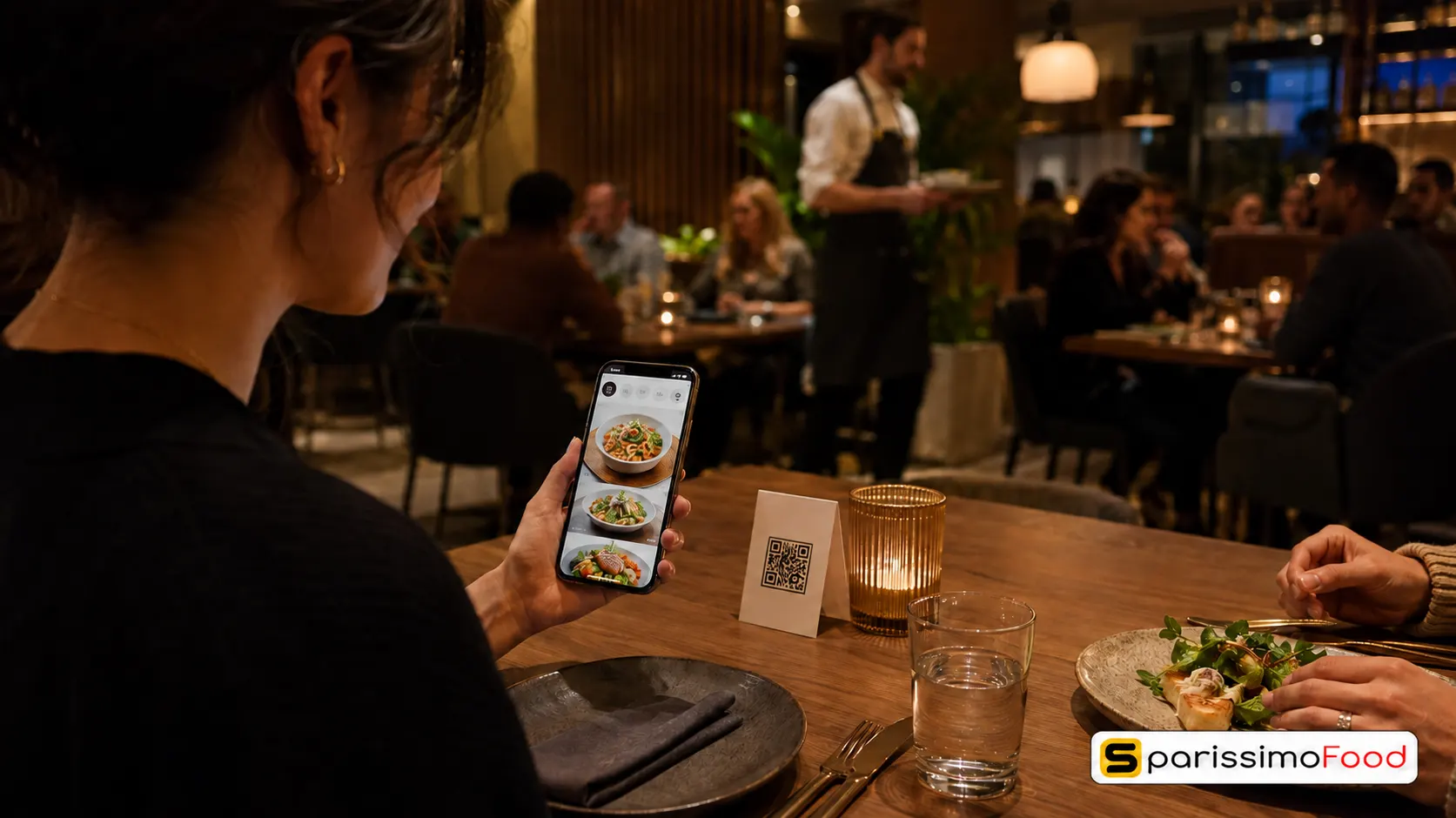

Quick Answer: A QR code menu is a digital version of your restaurant menu that guests access by scanning a QR code with their phone camera. No app download is required. When connected to a live ordering and payment system rather than a static PDF, it lets guests browse, order, and pay directly from the table. Restaurants using QR code ordering report 15% higher table turnover rates, a 10 to 20% increase in average order value, and annual print cost savings of approximately CHF 3,800. For Swiss restaurants, QR menus solve additional challenges: they support multiple languages from a single code, simplify allergen information compliance, and integrate natively with TWINT. Setup from a working ordering platform takes two to four hours.
Seventy-five percent of restaurants worldwide now use QR codes for digital menus, according to TableQR research published in 2026. The figure was near zero before 2020. That pace of adoption does not reflect a temporary trend. It reflects what happens when a tool solves multiple real problems simultaneously: printing costs, slow order times, menu update delays, language barriers, and staff capacity during peak service.
For Swiss restaurants specifically, QR ordering carries advantages that the global statistics do not fully capture. Switzerland is trilingual. Swiss guests have already adopted TWINT as their primary mobile payment method. And Swiss food labelling law requires allergen information to be available at the point of ordering. A well-configured QR menu addresses all three.
What Is a QR Code Menu and How Does It Work
A QR code is a two-dimensional barcode that a smartphone camera can read without any dedicated app. When a guest points their phone at the code, the camera detects it and offers to open a link. Tapping that link loads your menu in their phone browser.
The critical distinction for restaurants is between a static QR code and a dynamic QR code.
A static QR code has the destination URL encoded directly into the pattern. Once printed, it cannot be changed. If you update your online ordering platform, the old QR codes printed on your table cards still point to the old address. They are unusable without reprinting.
A dynamic QR code encodes a short redirect URL that you control. You can change the destination at any time without reprinting the physical code. A restaurant that switches ordering platforms, updates its menu location, or runs a seasonal promotion can update the destination in minutes. Every scan on every table immediately reflects the change.
For any restaurant intending to use QR codes for more than a one-time display, dynamic codes are the only practical choice.
There are two functional levels for restaurant QR menus:
The first level is view-only: the QR code opens a digital version of your menu for browsing. Guests view it but place orders through a server. This level reduces menu printing costs and enables real-time updates but does not affect ordering speed or table turnover.
The second level is full QR ordering and payment: the QR code opens a live ordering system where guests select items, customise their order, place it directly to the kitchen, and pay, without waiting for staff at any stage. This level delivers the full range of commercial benefits and is the one most Swiss restaurants are now moving toward.
Six Ways QR Code Menus Benefit Swiss Restaurants
Benefit 1: Higher Table Turnover Rate
Research from Square across restaurants using QR code payment found a 15% average improvement in table turnover rate. For a restaurant with 30 covers operating two dinner seatings on a typical Friday, a 15% improvement means faster transitions between seatings and the potential for a third seating across a service.
The mechanism is straightforward. When guests can order the moment they sit down without waiting for a server, and pay without waiting for the bill, the total time at the table decreases. The food itself takes the same time. The waiting does not.
For the broader impact of table turnover on annual revenue, see our restaurant table turnover guide.
Benefit 2: Lower Printing Costs in CHF
Printing physical menus in Switzerland is expensive. A single menu redesign and reprint run costs CHF 500 to 2,000 depending on quantity, quality, and whether lamination or menu holders are included. Restaurants that update prices seasonally, run weekly specials, or manage a changing wine list routinely reprint several times per year.
Supercode research puts the average annual printing saving at approximately CHF 3,800 for independent restaurants switching from printed to QR code menus. For smaller operations with more frequent menu changes, the saving can be higher. The comparison is straightforward: a dynamic QR menu updated instantly costs nothing per change. A reprinted menu run costs the same each time.
Benefit 3: Higher Average Order Value
Guests ordering via QR code typically spend 10 to 20% more per visit than guests ordering verbally. The reasons are well-documented in hospitality research. Guests browse longer when they have control of the menu at their own pace. They encounter more items and more add-on suggestions. They experience zero social pressure to decide quickly because a server is waiting.
A restaurant with a CHF 35 average order value that moves 60% of dine-in orders to QR ordering and captures a 12% average order value uplift adds approximately CHF 4.20 per converted order. At 50 QR orders per day, that is CHF 210 per day, or CHF 76,650 per year in additional revenue with no change in seat count.
For the full range of strategies that increase what each customer spends per visit, see our guide to increasing restaurant average order value.
Benefit 4: Instant Menu Updates
A dish runs out at 19:30 on a Friday evening. With a printed menu, guests continue to order it until a server catches every table and explains the situation. With a QR menu, the dish is marked unavailable in your system and disappears from every guest’s screen instantly. No awkward conversations. No disappointed guests who built their meal around an unavailable item.
The same applies to price changes, seasonal adjustments, promotional items, and daily specials. Your QR menu reflects reality in real time. Your printed menu reflects the day it was printed.
Benefit 5: Swiss Allergen Compliance Made Simpler
Swiss food law, aligned with EU food information regulations, requires that allergen information be available for unpackaged food at the point of ordering. The 14 major allergens must be declarable. For restaurants managing a complex menu with multiple preparations, communicating allergen information via printed menus requires either very small type, a separate allergen document, or staff who have memorised every dish’s composition.
A QR menu can include per-dish allergen tags that guests can read in full before ordering. Updating an allergen declaration when a recipe changes happens in your system and appears immediately on the menu. This is both operationally simpler and more reliable than managing a separate printed allergen document that may be out of date.
Benefit 6: Multilingual Menus from a Single QR Code
Switzerland has three official national languages. Restaurants in Zurich serve German speakers, in Geneva they serve French speakers, in Lugano they serve Italian speakers. Most restaurants in tourist areas and cities serve all three plus English-speaking visitors.
A printed menu solution for a multilingual restaurant requires either a single large document with multiple language columns, which is awkward, or separate menu versions for each language, which multiplies printing and update costs.
A QR menu system with language selection capability lets the guest choose their preferred language in a single tap. One code on every table serves every language from a single digital source. Updates made to the menu content in one language propagate to the others simultaneously if your translation workflow supports it.
Dynamic vs Static QR Codes: What Every Restaurant Needs to Know
This distinction matters more for restaurants than for most other QR use cases because menus, ordering platforms, and restaurant operational details change frequently.
A static QR code is useful for permanent, unchanging information: your Wi-Fi network details, a fixed link to your Google review page, or a permanent phone number. If the destination will never change, a static code is simpler to generate and free.
A dynamic QR code is necessary for your ordering menu. When you update your menu platform, run a seasonal campaign, or make any change to where the QR code should take a guest, a dynamic code allows you to make that change without reprinting a single card.
Most dynamic QR code generators provide analytics as part of the service: total scan count, scans by day and time, and sometimes device type. This data tells you when guests are most actively engaging with your menu and whether your QR placement strategy is working.
For restaurant table QR codes specifically, always use dynamic codes. Print them at a size of at least 2.5 by 2.5 centimeters to ensure reliable scanning at arm’s length. Include a short instruction line below the code: “Scan to view menu and order.” Many Swiss guests over 50 are still unfamiliar with QR scanning. A visible instruction reduces friction and increases the share of guests who actually use the system.
How to Set Up a QR Code Menu in Five Steps
Step 1: Choose your menu platform
Decide whether you want a view-only QR menu or a full QR ordering and payment system. View-only menus can be created from a PDF or a simple digital menu tool. Full QR ordering requires an ordering platform with a table-linked interface that connects to your kitchen.
If you are already running a direct online ordering platform, check whether it includes a QR dine-in ordering feature. Many platforms that support delivery and pickup ordering also support table ordering through the same menu and kitchen connection. If this is available, enabling it requires no new subscription or system.
Step 2: Build or connect your digital menu
Your digital menu should match your current physical menu in structure but optimized for a phone screen. Group items in the same category order a guest would naturally scan: starters, mains, sides, desserts, drinks. Include a photograph for at least the top two or three items in each category. A menu with one image per category converts meaningfully better than a text-only list.
Configure allergen tags per dish if your platform supports it. Set your MWST rates correctly by order type: 8.1% for dine-in and delivery, 2.6% for takeaway.
Step 3: Generate your QR codes
Generate dynamic QR codes from your ordering platform or a dynamic QR code service. Link each code to the ordering URL for your restaurant. If your ordering platform supports table-specific codes, generate one per table so that orders arrive in the kitchen already tagged with the correct table number.
Download the codes in high resolution. Size them at a minimum of 2.5 by 2.5 centimeters in your final physical format. Test each code with multiple phone types before printing.
Step 4: Print and place your codes
Print QR codes on table tents, adhesive stickers for table surfaces, printed card holders, or directly on paper place mats. Each placement format has different durability and cost considerations.
Table tents are the most visible and easiest for guests to notice without prompting. They can be double-sided with the QR code on one side and a short instruction or welcome message on the other. Replace them when they show wear or when the QR destination changes.
Place one code per table as a minimum. For larger tables, consider one code every 60 to 80 centimeters so that every guest has a code within easy reach.
Step 5: Train your staff and test the full flow
Run through the complete QR ordering flow yourself before your first service using the new system. Scan the code as a guest would, select items including modifiers and allergen-relevant customizations, place the order, and complete payment via TWINT. Confirm the order arrives correctly in your kitchen display.
Brief your floor team on how to assist guests who are unfamiliar with QR scanning. The most common issue is guests who point their camera but do not tap the notification. A brief demonstration from a server resolves it in seconds.
Where to Place QR Codes in Your Restaurant
The table is the most obvious placement. It is not the only one.
At the table: a table tent, sticker, or card holder gives the guest immediate access to the menu before a server approaches. This is the primary placement for dine-in QR ordering.
At the entrance: a QR code on a display board or A-frame near the entrance lets waiting guests browse the menu before they are seated. This reduces decision time at the table and can shorten service times for high-volume periods.
On receipts and packaging: a QR code on your delivery packaging or takeaway receipts can link to your direct ordering page, inviting customers to order again. Combined with a first-repeat-order incentive, this supports customer conversion from one-time to regular. For a full guide to converting delivery customers to repeat direct orders, see our guide on converting delivery app customers.
On table stationery and wine lists: if you have a separate wine or drinks menu, a QR code linking directly to the drinks section of your digital menu is a fast way to extend the ordering flow without requiring guests to navigate a full menu again.
Common QR Code Menu Mistakes Swiss Restaurants Make
Linking the QR code to a PDF. A PDF menu cannot accept orders, cannot update in real time without file replacement, and is awkward to navigate on a phone screen. If your QR code points to a PDF, it is providing the same experience as a printed menu with additional steps.
Using static codes. If the destination of your QR code changes for any reason, static codes printed on table cards become dead links. Dynamic codes prevent this at minimal additional cost.
Printing codes too small. A QR code under 2.5 centimeters is frequently unscannable at a comfortable arm distance. Size matters more than design. A plain black and white code at the correct size scans more reliably than a color-branded code that is too small.
Not including TWINT. A QR ordering system that does not support TWINT asks Swiss guests to use a payment method many no longer carry habitually. Completing the ordering flow with a familiar payment method is as important as the quality of the menu itself. For more on how checkout payment friction drives order abandonment, see our guide on why customers abandon restaurant checkout.
Skipping staff training. A QR ordering system without staff briefing creates friction rather than removing it. Servers who cannot assist a confused guest undermine the guest experience the system was intended to improve.
How SparissimoFood’s QR Dine-In Ordering Works
SparissimoFood includes QR code dine-in ordering as part of its platform across all plan tiers. It does not require a separate subscription or a third-party QR menu tool.
Table-specific ordering. Each table in your restaurant is assigned its own QR code, generated within the SparissimoFood dashboard. When a guest scans the table code, their order is tagged to that table number and arrives in your kitchen display automatically. Staff do not need to transfer the order or confirm the table separately.
Shared menu across all channels. Your dine-in QR menu, your direct ordering website, and your direct delivery and pickup channel all draw from the same menu database. A menu update made once appears across all channels simultaneously. A dish marked unavailable disappears from every surface, including every table’s QR menu, immediately.
TWINT and card payment at the table. SparissimoFood’s QR ordering flow supports TWINT as a primary payment method alongside card. Guests complete payment directly within the ordering flow without waiting for a server or a card terminal. This is the specific step that drives the table turnover improvement associated with QR payment.
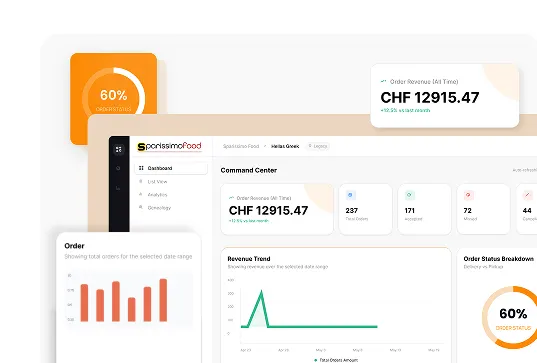
Analytics for QR ordering. SparissimoFood’s manager dashboard shows QR order volume separately from other order channels. You can see how many orders per service came through table QR codes, what the average order value is on QR orders compared to other channels, and which time periods show the highest QR adoption.
Kitchen throttling during peak hours. If your kitchen reaches capacity during a busy service, SparissimoFood allows your team to pause or slow incoming QR orders from the manager dashboard. This prevents order build-up beyond what the kitchen can deliver while maintaining accurate timing information for guests.
SparissimoFood starts at CHF 49 per month with an 8% commission on the Starter plan, and CHF 79 per month with a 5% commission on the Business plan. QR dine-in ordering is included at both tiers. Explore the current plan options at manage.sparissimofood.com/plans.
Frequently Asked Questions
Do guests need to download an app to use a QR code menu? No. Every major smartphone released after 2017 can scan a QR code using the standard camera app without downloading anything. The guest points their camera at the code, taps the notification that appears on screen, and the menu opens in their phone browser. No account creation and no app download are required for the guest. This is one of the primary reasons QR menu adoption accelerated so rapidly: the technology was already in every pocket.
What is the difference between a QR code menu and a QR code ordering system? A QR code menu allows guests to view your menu digitally. A QR code ordering system allows guests to view the menu, place an order, and pay, all from their phone without server involvement. The ordering system delivers significantly more commercial benefit but requires integration with your kitchen and payment systems. A view-only QR menu is a starting point. A full QR ordering system is where the table turnover and average order value improvements are realised.
How much does it cost to set up a QR code menu in Switzerland? The cost depends on the approach. A view-only PDF-based QR menu costs the price of generating a QR code, which can be done for free, plus the cost of printing table cards, typically CHF 50 to 200 for a standard print run. A full QR ordering system is typically included in a direct ordering platform subscription. For a restaurant already using a direct ordering platform that includes QR dine-in ordering, the incremental cost is zero. The annual saving compared to printed menus typically runs CHF 2,000 to 4,000 depending on how frequently menus are updated.
How do I update my QR code menu when prices change? If you are using a dynamic QR code linked to a live ordering platform, you update the price in your platform dashboard and it appears immediately on every guest’s screen. No new QR code is needed and no reprinting is required. This is the primary operational advantage of a live QR ordering system over a static PDF-based QR menu, where a price change requires uploading a new file.
Are QR code menus suitable for all types of Swiss restaurants? QR code menus are well-suited to casual dining, pizza and kebab restaurants, bistros, cafes, and any restaurant where table turnover is commercially relevant. Fine dining restaurants with highly personalised service models may find that full QR self-ordering conflicts with the service experience they offer, though even in that context, a view-only QR menu provides the printing and update benefits without changing the ordering dynamic. The strongest use case for full QR ordering is a mid-volume casual restaurant where reducing server-to-table time during peak service hours has a direct impact on covers served.
A QR code on your table is not a technology statement. It is a decision to let your guests order the way they already prefer to, at their pace, with their phone.
.Ds4FHhSq_ZxC9WE.webp "Restaurant Upselling Techniques That Don't Feel Pushy")

.CXCr6fQt_Z11gsYh.webp "Build a Branded Restaurant App Without Developers")
.y09Xtv8Z_1gH6f6.webp "Set Up Restaurant Online Ordering in Under a Week")
.B-Rl4IDw_Z204OoN.webp "Restaurant Loss Prevention and Theft Guide")
.DPpk5JZR_AlrVy.webp "Restaurant Communication During Peak Hours | Guide 2026")
.B6eEizW1_Z2bHQYl.webp "Restaurant Menu Pricing Strategies That Actually Protect Your Margins in 2026")
.CRszlDy5_2neUXu.webp "How to Migrate from GloriaFood Without Disruption: A Technical Step-by-Step Guide")
.kT6N2QP-_1Tp2j1.webp "GloriaFood Is Shutting Down on April 30, 2027 — What Every Restaurant Owner Needs to Do Now")